
10 best training management software for small training businesses
Ten training management tools ranked for small training businesses that sell the same sessions to companies and individuals, with prices checked November 2026.
Key takeaways
- Dojo is the best fit if you run live sessions and sell the same session to companies (by invoice) and to individuals (by card) from one booking link. It costs $20 a month and takes no fee on bookings.
- Cademy is the closest alternative, with a usable free plan and an LMS built in. Arlo suits providers who have an admin team and want Xero.
- accessplanit, Administrate and Training Orchestra are built for larger training operations, with quote-based pricing and an implementation project.
We make Dojo, so weigh our pick accordingly. Every tool on this list, Dojo included, is judged on the same six criteria, and every price below links to the vendor's own pricing page. Prices checked November 2026, in USD unless marked.
How we picked
This list is for a small training business: often one trainer working under a business name, sometimes two or three, running live sessions in person or online. Your buyers are a mix. A company sends five people and wants an invoice with its PO number; two individuals fill the remaining seats and pay by card.
Most "best software" lists rank tools on feature count. Feature count favours tools built for large training departments, which is not what a small training business needs. We ranked on six criteria that decide whether a tool works for that mix of buyers:
- Companies and individuals in the same session, from one booking link. No duplicate course for each audience.
- Invoice with a PO and card payment on the same session. Companies rarely pay by card; individuals rarely accept an invoice.
- A price that suits a solo trainer. Measured on one realistic month, below.
- Ready to sell without an admin team. No required implementation project.
- Payouts to your own Stripe account, plus accounting sync. Your money, in your books.
- Live online sessions and attendance certificates. Most trainers deliver both.
If you're still deciding which type of tool you need at all, start with our guide to class booking software, which compares studio tools, training management systems and do-it-yourself setups.
Comparison at a glance
The cost column uses one month for a typical small training business: 4 sessions, 8 seats each, $350 a seat (32 registrations, $11,200 in sales). It counts each platform's own subscription and booking fees on its cheapest plan that can take payments. Card processing is left out because every tool charges it in roughly the same way.
Tool | Best for | Starting price | Booking fee | Cost for the sample month |
|---|---|---|---|---|
Dojo | Small training businesses selling to companies and individuals | Free (10 sessions), then $20/month | None | $20 |
Cademy | Small providers who want booking and an LMS in one | Free, then $149/month (Pro, monthly) | 5% on the Free plan, none on paid plans | $149 on Pro |
Arlo | Providers with an admin team who want Xero | $132 per licence/month | $2.39 per paid registration | $208, plus implementation |
accessplanit | Established training companies with high volumes | On request | Not published | On request |
Bookwhen | Simple class and event booking | C$20/month (price shown in Canada) | None | C$20 |
Acuity Scheduling | Appointments and small group sessions | $20/month ($16 billed yearly) | None listed | $20 |
Eventbrite | Public events that need marketplace reach | Free for free events | 3.7% + $1.79 per ticket | $472, paid by buyers by default |
Thinkific | Selling online courses and communities | $109/month ($82 billed yearly) | None listed | $109 |
Administrate | Enterprise training teams | On request | Not published | On request |
Training Orchestra | Corporate learning teams and large providers | On request | Not published | On request |
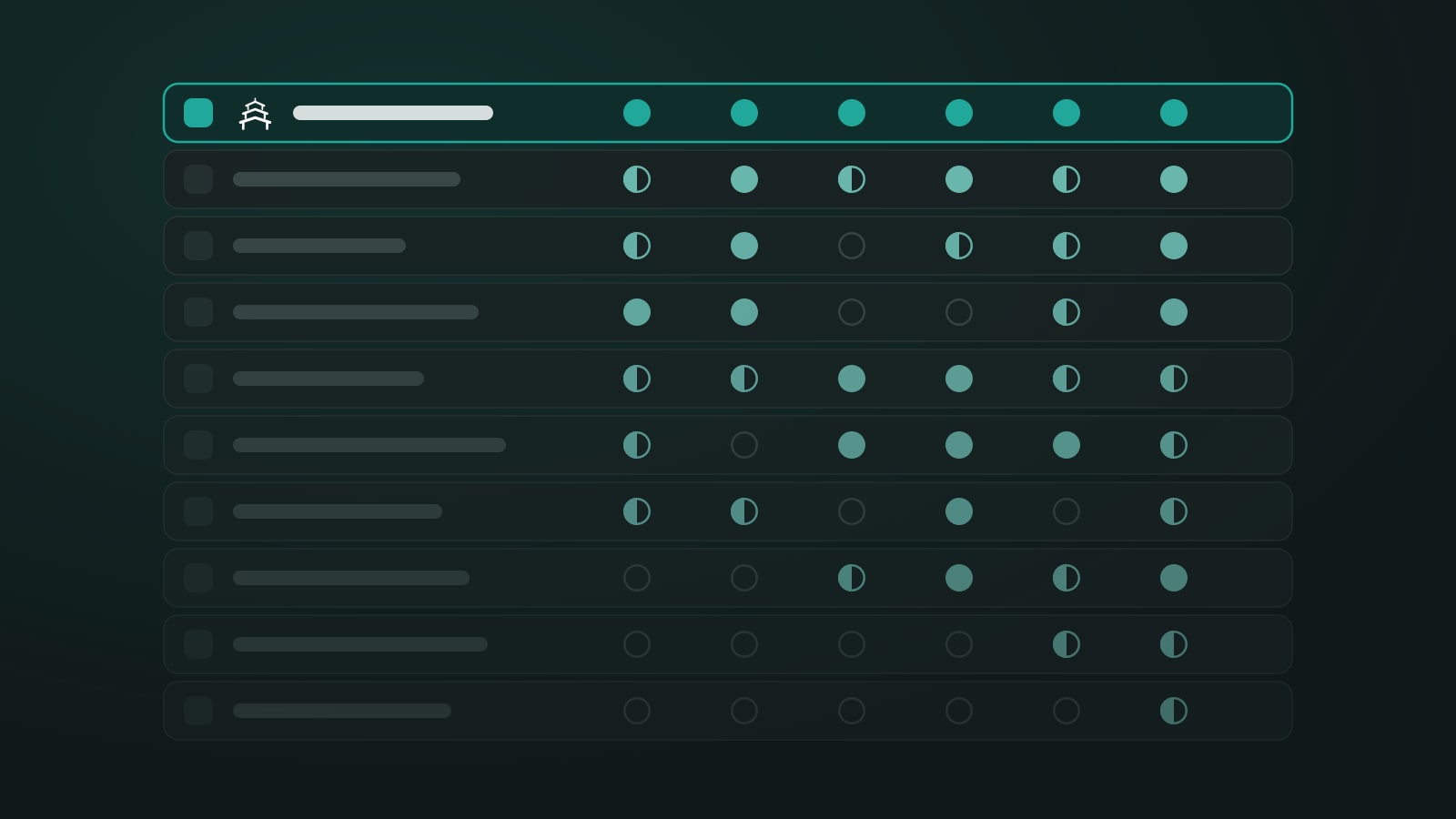
Tool | Companies + individuals | Invoice/PO + card | Solo-friendly price | No admin team needed | Own Stripe + accounting | Live online + certificates |
|---|---|---|---|---|---|---|
Dojo | ✓ | ✓ | ✓ | ✓ | ✓ QuickBooks | ✓ Google Meet |
Cademy | Partial | ✓ Pro and up | Partial | ✓ | Partial, Xero on Teams | ✓ Zoom |
Arlo | Partial | ✓ | ✗ | Partial | Partial, Xero native | ✓ Zoom |
accessplanit | ✓ | ✓ | ✗ | ✗ | Partial, add-on | ✓ Zoom, Teams |
Bookwhen | Partial | Partial | ✓ | ✓ | Partial, no accounting sync | Partial |
Acuity Scheduling | Partial | Not documented | ✓ | ✓ | ✓ QuickBooks | Partial |
Eventbrite | Partial | Partial | ✗ | ✓ | ✗ | Partial |
Thinkific | Not documented | Not documented | Partial | ✓ | Partial | ✓ Zoom |
Administrate | Not documented | Not documented | ✗ | ✗ | Partial, Xero | Partial |
Training Orchestra | Not documented | Not documented | ✗ | ✗ | Not documented | Partial |
"Not documented" means we couldn't confirm it from the vendor's own website. It doesn't mean the feature is missing.
The 10 best training management software, reviewed
1. Dojo
Best for: small training businesses selling the same live sessions to companies and individuals.
Starting price: free for your first 10 published sessions, then $20 a month for 10 sessions or $40 for 30. CAD 25 and EUR 20 in Canada and Europe. Every feature is on every plan, and you pay per session you publish, not per registration.
What it does well
- One booking link sells a session to everyone. A company books six seats and pays by invoice with its PO number; individuals buy the remaining seats by card. Same session, same roster. We explain how in companies and individuals, now in the same session.
- Card payments go to your own Stripe account, in your business name. Dojo takes no fee on bookings.
- QuickBooks invoicing for company bookings, Google Meet links for online sessions, and certificates for each attendee.
- Public sessions and private in-company sessions on the same schedule.
- Ready to sell the day you sign up, with no implementation project.
Watch-outs
- No Xero integration yet; accounting sync is QuickBooks only.
- Online sessions use Google Meet. No Zoom or Microsoft Teams integration.
2. Cademy
Best for: small providers who want course booking, invoicing and an LMS in one tool.
Starting price: free with a 5% platform fee on paid bookings; Pro is $149 a month ($129 billed yearly), Teams $779 a month ($649 billed yearly). Also priced in GBP and EUR.
What it does well
- A genuinely free plan with no time limit, which is rare in this category.
- Invoices and manual payments, private courses, and your own branding from Pro.
- A built-in LMS, CRM and certificates, so blended courses live in one place.
Watch-outs
- Invoices and private courses need Pro; Xero needs Teams. QuickBooks isn't listed.
- Pro allows 1 admin user and 1,000 registrations a year.
- Live online sessions run through Zoom.
3. Arlo
Best for: established providers with an admin team who run scheduled public courses and want Xero.
Starting price: $132 per licence a month on Simple, plus $2.39 per paid registration ($121 and $2.15 billed yearly). An implementation package is required on all plans.
What it does well
- A mature, configurable system with public and private courses, a customer portal and an organization portal on Professional.
- Native Xero sync for invoices and credit notes.
- Webinars through Zoom or GoToWebinar, plus optional e-learning authoring and SCORM.
Watch-outs
- Per-registration pricing grows with every seat you sell. Our sample month comes to $208 on Simple before implementation.
- QuickBooks connects through Zapier, not natively.
- Automated certificates are on the Enterprise plan ($302 per licence a month).
4. accessplanit
Best for: training companies with high learner volumes, several trainers and compliance requirements.
Starting price: on request. An annual licence plus a one-off fee covering a 90-day implementation.
What it does well
- Group bookings, in-house courses, and card, invoice and purchase order payments.
- Trainer, venue and equipment management for larger schedules.
- Zoom and Microsoft Teams integrations.
Watch-outs
- Built for teams with admin staff; the 90-day implementation is part of every purchase.
- Xero and Sage sync is a paid add-on.
5. Bookwhen
Best for: simple class and event booking for very small operators.
Starting price: a free plan for free events; paid plans from C$20 a month as shown in Canada (Bookwhen shows local prices by country). No booking fee.
What it does well
- Quick to set up, with low flat pricing and no commission.
- Payments go to your own Stripe or PayPal account.
- Zoom, YouTube and Vimeo for online sessions.
Watch-outs
- Group tickets let one person book several attendees, but there are no company accounts or invoices. Offline payments are marked as paid by hand.
- No Xero or QuickBooks integration.
6. Acuity Scheduling
Best for: appointments and small group sessions for solo service providers.
Starting price: $20 a month ($16 billed yearly). Owned by Squarespace.
What it does well
- Clean client self-booking with time zone handling and reminders.
- Payments through Stripe, Square, PayPal or Venmo, with a QuickBooks integration.
- Google Meet and Zoom links on bookings.
Watch-outs
- Built around appointments; company bookings and PO invoicing aren't documented.
- Certificates aren't documented.
7. Eventbrite
Best for: public events that benefit from Eventbrite's marketplace audience.
Starting price: free for free events; paid tickets carry a 3.7% + $1.79 service fee per ticket, plus 2.9% payment processing per order.
What it does well
- Reach: people discover events on Eventbrite itself.
- Fast to publish a public session with tickets.
- Zoom integration for online events.
Watch-outs
- Per-ticket fees add up at training prices. Our sample month carries $472 in service fees, which your buyers pay by default.
- Eventbrite collects payment and pays you out; it doesn't connect to your own Stripe account.
- Offline payment options exist, but Eventbrite doesn't collect them or send invoices.
8. Thinkific
Best for: selling online courses, memberships and communities.
Starting price: $109 a month on Start ($82 billed yearly).
What it does well
- Strong course builder, communities and certificates.
- Live cohorts with unlimited Zoom sessions, bookable calendars and attendance tracking on Start.
Watch-outs
- Built to sell access to courses, not seats in a scheduled session. Company group bookings and PO invoicing aren't documented.
- A good companion to a booking tool if you also sell recorded courses.
9. Administrate
Best for: enterprise training teams with complex instructor-led operations.
Starting price: on request. Administrate says packages typically range from five to mid-six figures.
What it does well
- Instructor, resource and conflict management at scale.
- Certificates and achievements built in, with Xero integration.
Watch-outs
- Priced and implemented for large organizations, not a small training business.
- No self-paced e-learning; it integrates with a separate LMS.
10. Training Orchestra
Best for: corporate learning teams and larger training companies managing instructors and costs.
Starting price: on request, in three packages.
What it does well
- Scheduling, instructor and budget management for instructor-led training.
- Public and private courses for training companies.
Watch-outs
- Positioned for mid-sized and enterprise organizations.
- Works alongside an LMS rather than replacing one.
Skip Dojo if…
- You mainly sell self-paced e-learning. Dojo runs live sessions, in person or online. Thinkific or Cademy will serve recorded courses better.
- You run a team of several instructors. Dojo doesn't assign instructors to sessions yet. Arlo or accessplanit handle multi-trainer schedules today.
FAQ
What's the best Arlo alternative for a solo trainer?
Dojo or Cademy. Arlo is priced per licence and per registration, with implementation required, which suits a provider with admin staff. Dojo costs $20 a month for 10 sessions with no booking fee; Cademy has a free plan with a 5% fee and a Pro plan at $149 a month.
Is Cademy good for corporate training?
Yes, from the Pro plan, which adds invoices, manual payments and private courses. If you need Xero sync, that's on Teams at $779 a month. If your accounting runs on QuickBooks, Dojo is the closer fit.
What is training management software?
A tool that runs the business side of live training: scheduling sessions, taking bookings and payments, invoicing companies, sending reminders and issuing certificates. An LMS, by contrast, delivers self-paced course content.
Can one booking page sell seats to companies and individuals?
Yes, but few tools do it without a duplicate course. Check that a company can book several seats on an invoice with its PO number while individuals buy the remaining seats by card, on the same session.
How much should a small training business pay for training management software?
Between $0 and about $150 a month covers the tools built for small providers. Tools priced per registration or on request usually cost several hundred dollars a month or more once you sell regularly.
Ready to sell your next session to companies and individuals from one link? Start free with Dojo. Your first 10 sessions are free.